

禅道Docker安装包发布
原创大家好,禅道Docker安装包发布。
一、下载地址
禅道开源版: /dl/zentao/docker/docker_zentao.zip
数据库用户名:root,默认密码:123456。运行时,可以设置MYSQL_ROOT_PASSWORD变量来更改密码。
可挂载目录
/app/zentaopms:该目录为禅道目录,里面包含禅道代码及附件上传目录。
/var/lib/mysql:该目录为数据库的数据目录。
二、安装使用
注意:需要关闭下selinux
1、构建镜像
下载安装包,解压缩。 进入docker_zentao目录,执行命令 docker build -t [镜像名称] [Dockerfile所在目录]
docker build -t zentao ./
2、运行镜像
docker run --name [容器名称] -p [主机端口]:80 -v [主机代码目录]:/app/zentaopms -v [主机数据目录]:/var/lib/mysql -e MYSQL_ROOT_PASSWORD=[数据库密码] -d [镜像名]:latest
例如
创建 /data/www /data/data 目录。
执行命令:
docker run --name zentao -p 80:80 -v /data/www:/app/zentaopms -v /data/data:/var/lib/mysql -e MYSQL_ROOT_PASSWORD=123456 -d zentao:latest
运行成功

3、安装禅道
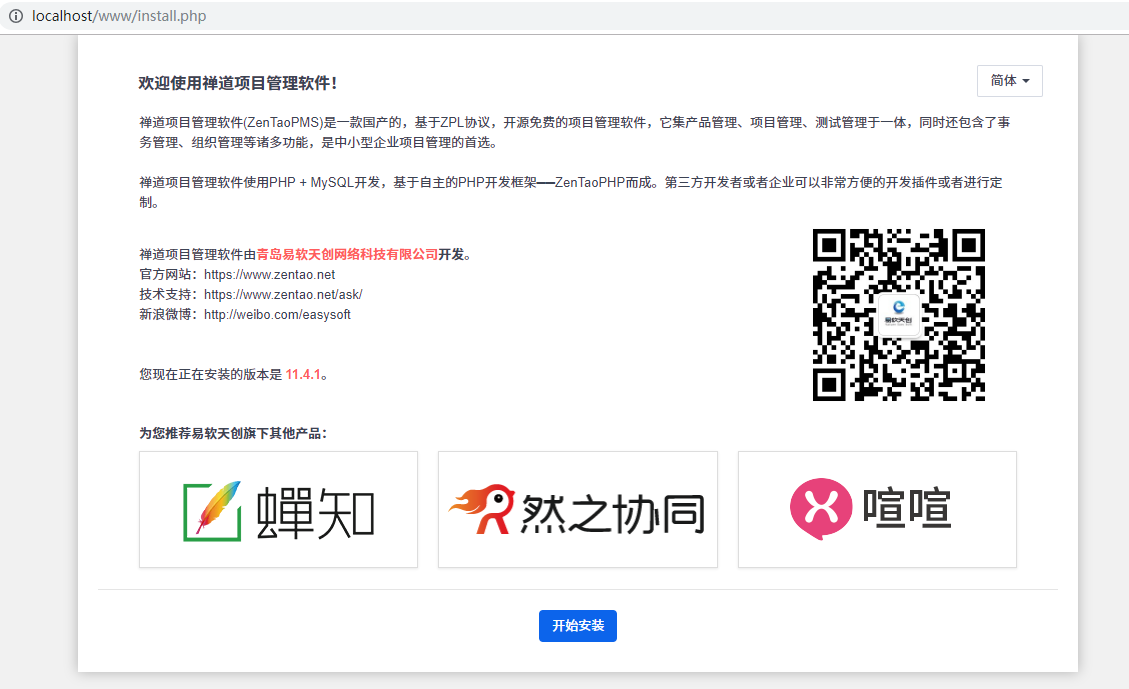
浏览器访问 http://ip,显示禅道安装页面,安装禅道。
三、升级
1、重新构建镜像
重新修改Dockerfile,重新运行构建镜像命令
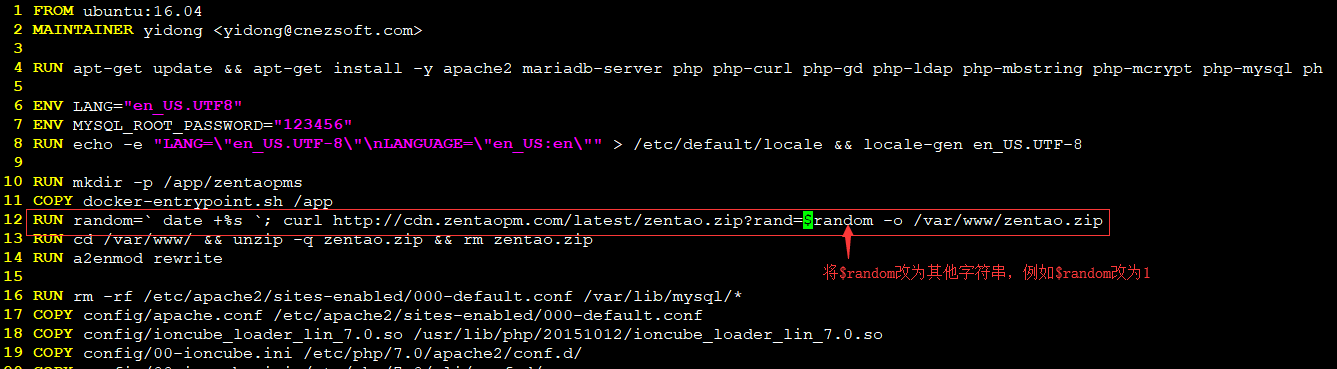
docker build -t zentao ./
2、关闭容器
docker stop 容器ID

docker stop 6b26b184f322
3、用新镜像运行容器
用之前运行镜像的命令,用新的镜像重新运行容器。
注意:[主机代码目录]、[主机数据目录]、mysql密码 必须和之前的容器一致。
4、升级禅道
升级时会提示验证操作,按照提示要求,在 [主机代码目录] 的 www 目录创建 ok.txt。
创建后,点击 继续更新即可。
四、访问禅道数据库
1、安装成功之后,确认下容器的ID:

2、进入docker容器:
执行下面命令,ID使用上面查询的ID即可。
docker exec -it cc8f97cdf51b /bin/bash
结果: 
3、访问数据库:
密码默认是123456,但是运行镜像的时候MYSQL_ROOT_PASSWORD修改密码的话,需要使用修改后的密码。



 回复
回复
文档中的挂载路径`-v /data/www:/app/zentaopms`错误, 应该是:·-v /data/www:/www/zentaopms·,不然升级会导致配置丢失。

---> Running in 32719e26c55a
Err:1 http://security.ubuntu.com/ubuntu xenial-security InRelease
Temporary failure resolving 'security.ubuntu.com'
Err:2 http://archive.ubuntu.com/ubuntu xenial InRelease
Temporary failure resolving 'archive.ubuntu.com'
Err:3 http://archive.ubuntu.com/ubuntu xenial-updates InRelease
Temporary failure resolving 'archive.ubuntu.com'
Err:4 http://archive.ubuntu.com/ubuntu xenial-backports InRelease
Temporary failure resolving 'archive.ubuntu.com'
Reading package lists...
W: Failed to fetch http://archive.ubuntu.com/ubuntu/dists/xenial/InRelease Temp orary failure resolving 'archive.ubuntu.com'
W: Failed to fetch http://archive.ubuntu.com/ubuntu/dists/xenial-updates/InRelea se Temporary failure resolving 'archive.ubuntu.com'
W: Failed to fetch http://archive.ubuntu.com/ubuntu/dists/xenial-backports/InRel ease Temporary failure resolving 'archive.ubuntu.com'
W: Failed to fetch http://security.ubuntu.com/ubuntu/dists/xenial-security/InRel ease Temporary failure resolving 'security.ubuntu.com'
W: Some index files failed to download. They have been ignored, or old ones used instead.
可以ping 通archive.ubuntu.com ,什么原因?谢谢
数据库连接失败 SQLSTATE[HY000] [2054] The server requested authentication method unknown to the client

dockerfile已更新,可以参考,有问题可以在GitHub留言
同时可以执行docker pull chaiyd/zentao 拉取镜像





感谢您的!为确保您能充分发挥禅道的价值,我们为您准备了以下专属服务:
 精品资料包
精品资料包立即获取《软件研发质量管理体系建设白皮书》、《PMO实践白皮书》《IPD资料》等行业最佳实践资料。
 1V1产品演示
为您量身定制线上演示,深度讲解核心功能与适用场景。
 免费试用增强功能
获取正式试用授权,解锁全部功能,带领团队亲身体验。
 专属顾问答疑支持
在使用中遇到的任何问题,您的专属顾问将及时为您解答。
添加您的专属顾问获取服务

扫码添加领专属服务